How to Handle Mp3Juice Popups Redirects and Fake Buttons
At a glance
Use the Download control attached to your chosen Mp3Juice result, then the MP3 or MP4 option shown for that recording. Ignore Download Now ads, close surprise tabs with browser controls, avoid notifications or installers, and stop if redirects or warnings repeat.
In this guide
To handle Mp3Juice popups, redirects, and fake buttons, use only the download controls tied to the result you chose, close unexpected tabs with the browser’s own tab or window controls, and stop if redirects keep repeating. On Mp3Juice, the important distinction is between the native Download control for a recording and the promotional Download Now link, which is advertising rather than the site’s format-selection control.
The homepage search does not require an account. You can enter a song title, artist name, or an individual YouTube URL, then use the form labeled Download. After navigation to results, choose from the listed recording titles. The result’s Download control opens MP3 and MP4 options, and Download MP3 opens a third-party converter embedded below the selected recording. A completed file is confirmed by your browser or file manager, not merely by seeing a download option on the page.
Native Download Versus Promotional Download Now
The native control is attached to a specific search result. It appears in the result area for a recording title and leads to format options for that recording. If a preview is available, Play is for listening before you decide. The download path begins with the result’s Download control, then continues to the MP3 or MP4 option shown for that selected item.
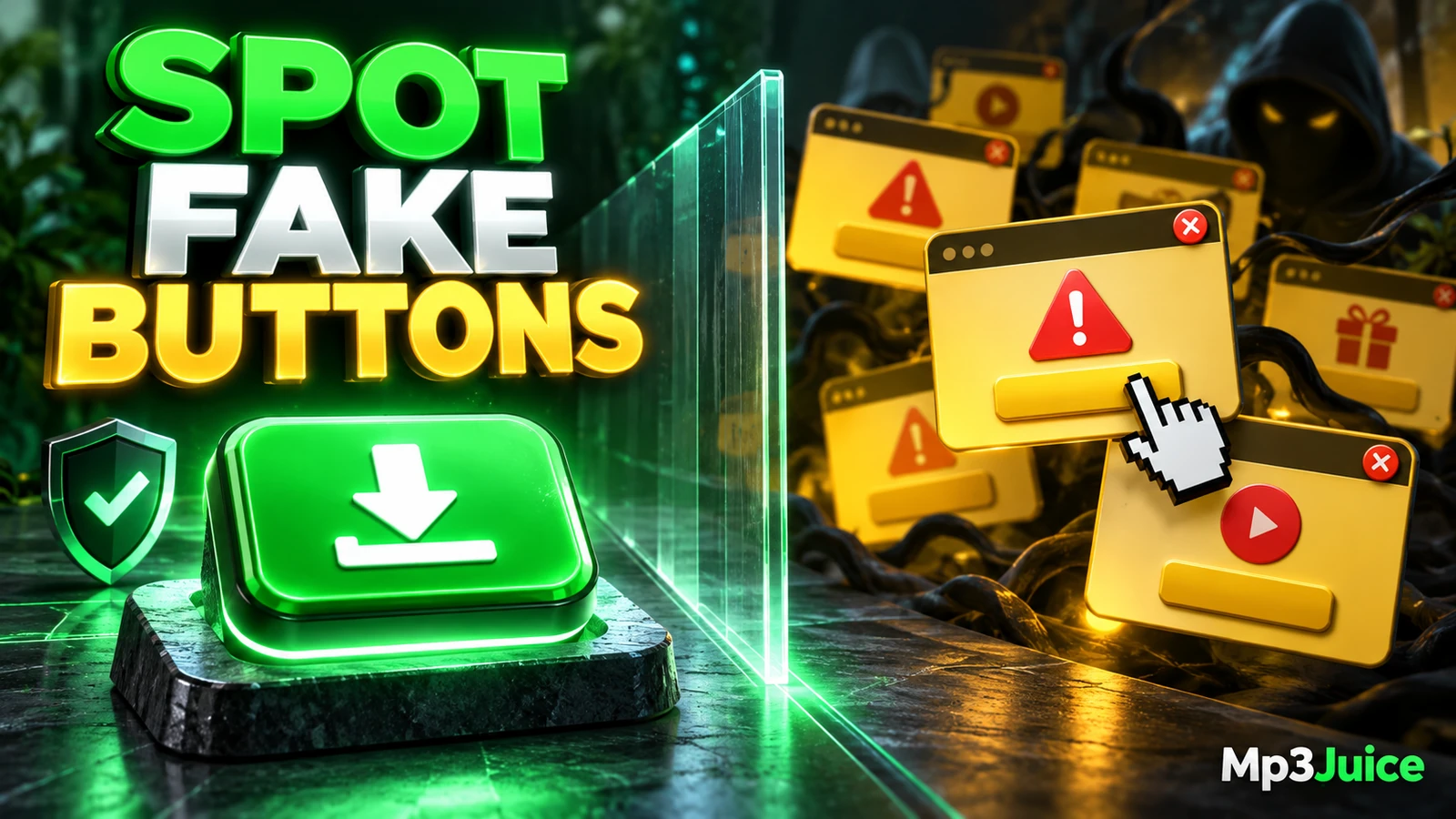
Download Now is different. It is a promotional outbound link, not the site’s format-selection control. It may be larger, brighter, or placed near the result area, but the label alone does not make it the music download. Do not follow an advertisement as if it were the recording you searched for.
A practical rule is simple: if the button is not directly connected to the recording you selected, treat it as unrelated. If it opens a new tab, promotes another service, asks you to install something, or asks for unrelated permissions, close it rather than continuing. For the normal search and result flow, see How to Use Mp3Juice Step by Step.
Close Unexpected Tabs With Browser Controls
If a popup, redirect, or unsolicited new tab appears, close it with your browser’s own controls. Use the tab close button, window close button, or browser tab switcher. Do not rely on a large in-page X, a fake close symbol inside the advertisement, or a button that says it must be clicked to leave.
- Use the browser frame: Close the tab or window from the browser interface, not from the popup content.
- Do not accept notification prompts: A music download does not require subscribing to browser notifications.
- Do not install add-ons or apps: No installer, extension, or native app is needed for the basic search form.
- Do not enter passwords: A download page or ad prompt asking for a password is not part of the ordinary result selection.
Fake close buttons are a known pattern in unwanted popups. If the page tries to keep you engaged with warning-style graphics, countdowns, or repeated prompts, leave by closing the tab itself. Do not try to argue with the page or click through several screens to find a supposed final download.
Examples of Labels You May See
| Label | Where it appears | What it means | How to handle it |
|---|---|---|---|
| Download | Attached to a listed recording result | Opens MP3 and MP4 options for that result | Use this as the native result control |
| Download MP3 | In the format choices for the selected recording | Opens the MP3 converter for that recording | Use it only for the recording you selected |
| Download Now | Promotional area, banner, or nearby ad placement | Outbound advertising link rather than format selection | Ignore it for music downloading |
| Install Extension | Popup, banner, or redirected page | Request to add browser software | Close the page without installing |
| Allow Notifications | Browser permission prompt | Permission for the site or advertiser to send alerts | Deny or close if it appears during a download attempt |
For example, imagine a fictional search for Robin And The Circuit - Nevergreen. The result title appears with a Play option and a Download control. Choosing Download shows MP3 and MP4 options, and Download MP3 opens the embedded converter below that result. A nearby Download Now advertisement is not the same control and should not be treated as the song file.
When Repeated Redirects Mean You Should Stop
If redirects or popups recur even when you are choosing the result’s own controls, stop the attempt. Repeated interruptions make it harder to confirm what you are clicking and can expose you to unrelated offers. Leaving is the right response when the page no longer lets you clearly distinguish the recording controls from advertising.
Keep browser protections, popup blocking, and download warnings enabled. A dangerous download warning should be treated as a stop signal, not as an obstacle to work around. Do not disable security settings to force a file through. If you want a broader pre-download checklist, read Is Mp3Juice Safe Security Checks Before You Download.
Third-party converter availability can also vary. If an embedded service does not complete, that does not make a nearby ad the correct fallback. It only means the conversion or download path for that item is not completing at that moment.
Confirm the Download in Your Browser or Files
A real download is confirmed outside the page, through your browser’s download list, download status, or saved file location. The presence of an MP3 option on the page is not the same as a completed local file. Likewise, an .mp3 filename extension alone cannot prove the file is complete, high quality, or safe.
In Safari on iPhone, downloads may be found through Files, then Browse, then Downloads, depending on the configured destination. Safari’s download control can also show status or access to recent transfers. In Chrome, the downloads area can list transfers and reveal where a file was saved. On Android, Chrome’s menu includes Downloads for accessing downloaded files.
Private or incognito browsing does not make downloads disappear automatically and does not hide activity from every site or network operator. Downloaded files can remain after the private session ends. For browser privacy context without changing the download workflow, see Mp3Juice Privacy Guide for Safer Browser Use.
Why These Buttons Appear Near Search Results
Mp3Juice includes third-party advertising, analytics, embedded download services, and sharing tools. That mix can place promotional elements near functional controls. Some ads are designed to look urgent or more prominent than the actual result button, which is why the exact label and placement matter.
Supporting landing pages such as MP3 Downloader and YouTube to MP3 describe related service areas, but they do not change the button rule on a result page. The recording’s own Download control leads to format choices. Download Now remains promotional when it appears as an ad link.
You also do not need to create an account or pay to use the homepage search form. Be cautious of redirected pages that imply otherwise, especially if they ask for payment details, passwords, notification access, installers, or browser extensions before letting you continue.
Permission and Common Questions
Does a search result mean the song is free to copy?
No. A visible result does not establish song ownership, copyright permission, or safety. Protected works generally require permission unless an applicable licence or national exception applies. A composition and a sound recording can involve different rights, and public access or no-cost access is not always permission to copy. Review the Copyright page for site policy context and seek qualified local advice for uncertain uses.
Do I need an installer, extension, or notification subscription?
No. The search form does not require an account, payment, installer, native app, extension, or notification subscription. If a popup says those are required, treat it as unrelated to the basic Mp3Juice search flow.
What if my browser flags the file or page?
Stop. Keep warnings and protection enabled. Do not bypass browser or operating system security prompts to force a download.
For data handling and site policy information, review the Privacy Policy.