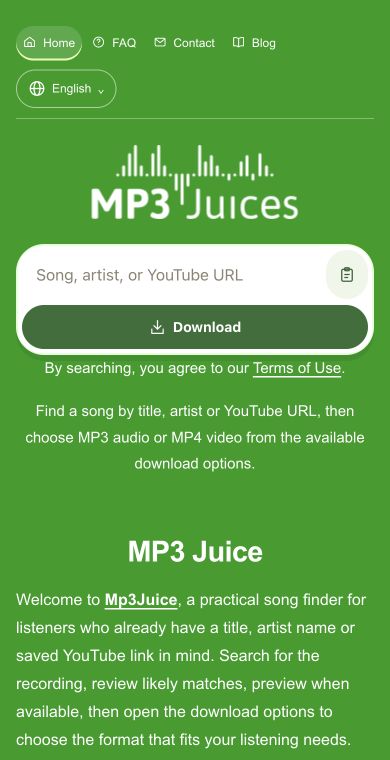
Use Mp3Juice to search by title or artist, or paste one YouTube URL, then choose MP3 from Download options when an audio format is available.
YouTube to MP3 for Audio-Only Listening
Welcome to Mp3Juice, where YouTube to MP3 helps you focus on the soundtrack from a selected recording. Enter a title, artist, or one YouTube URL, choose the result that matches, and open Download options to select MP3 when the audio format is available in your browser.
Popular Music
Songs and artists to put on your next listening list.
Type the song title, artist name, performance name, interview title, or paste one YouTube URL. A direct URL is best when you already have the exact recording. Title and artist search works well when you still need to find the right match.
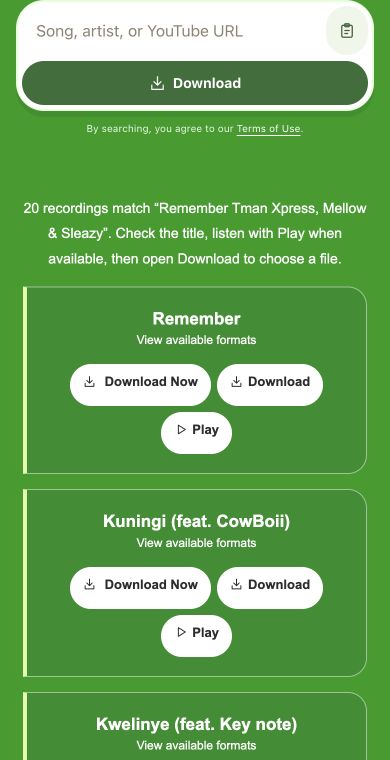
Review the visible result before continuing. If Play is shown, listen briefly to confirm the voice, mix, live take, backing track, or spoken segment. This helps avoid covers, reactions, duplicate uploads, and versions that share a similar title.
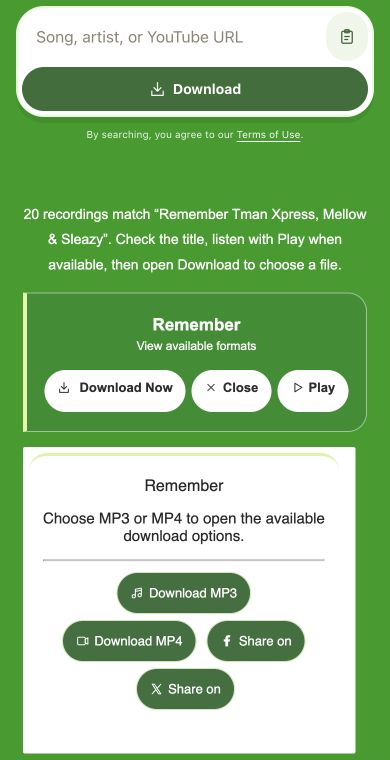
Once the correct result is selected, open Download options and choose MP3 when it appears. MP4 may also be listed if you decide the picture matters too. Format choices depend on what is available for the selected recording.
Mp3Juice keeps the process focused on selecting one recording and choosing a suitable available format.
Flexible input for known or remembered recordings
Use a title and artist when you remember the song, performer, guest, or upload name. Paste a YouTube URL when the exact recording is already open. Both starting points lead to the same result check before you choose a download format.
Preview support when it is available
Some results show a Play option, which is useful when titles are unclear or reused. A short listen can confirm whether you found the studio version, live performance, remix, podcast section, interview clip, or other audio you intended.
Search without creating an account
You can look up a single recording, compare visible matches, and open Download options from the page without signing in. Final format availability and file details depend on the selected source, so always confirm the result before saving.
Ways to get closer audio matches
Clear searches reduce wrong results, especially when many uploads share the same or similar names.
Add artist and version details
Include the performer, featured artist, remix name, live venue, acoustic note, or year when the title is common. More specific wording helps separate official uploads, covers, extended mixes, regional versions, and unrelated clips.
Use the link for a precise source
Paste one YouTube URL for a rare upload, long mix, interview, channel-only performance, or regional video that may be hard to identify by title alone. The direct address points the search to the selected recording.
Mp3Juice, Tubidy, Fakaza, and YTMP3 at a glance
Start with a video URL for a specific audio recording, or use a song-focused service when you still need to find the right track.
Use Mp3Juice for flexible search, Tubidy for mobile-style browsing, Fakaza for South African tracks, and YTMP3 when a YouTube link is already chosen.
Format choices for sound or picture
After selecting a result, Mp3Juice shows the available download options for that recording.
MP3
Choose MP3 for listening
MP3 is the practical choice when the soundtrack is what matters, such as music performances, remixes, interviews, lectures, DJ uploads, and spoken or music segments. This page is not for trimming, editing, isolating parts, or batch processing.
MP4
Choose MP4 if visuals are needed
MP4 is useful when the image adds value, such as choreography, subtitles, stage movement, instrument technique, screen demonstrations, or visual context. If you only need playback audio, MP3 keeps the download focused on listening.
YouTube audio download questions
Can I paste a YouTube link directly?+
Yes. Paste one YouTube URL into the search field when you already have the exact recording, then open Download options and choose MP3 if it is available.
Can I search without a YouTube URL?+
Yes. Search by title or artist, then review the returned results carefully because popular songs, interviews, and performances can have many similar uploads.
Does Play always appear before downloading?+
No. Play appears only when preview playback is available for a result, so use it when shown and otherwise rely on the visible title and details.
Will every YouTube recording offer MP3?+
No. Available format choices can vary by selected recording, so if MP3 is not listed for one match, try another suitable result.
Is this service part of Mp3Juice?+
Yes. This YouTube to MP3 service is independently operated within Mp3Juice and is not affiliated with YouTube or other named platforms.
What should I download with this tool?+
Use it only for recordings you have permission to download or use, such as selected music performances and spoken or music segments where MP3 is available.